How Do I Edit an Existing Task Type?
- Go to System > CRM > Task Types

- Highlight the task to be amended and overtype the original text.
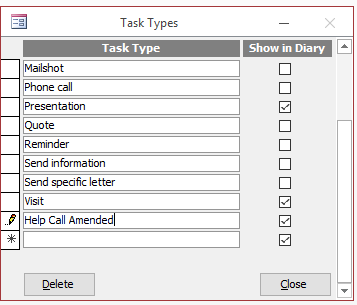
When you have finished amending the list click Close to exit the screen.

How Do I Edit an Existing Task Type?
When you have finished amending the list click Close to exit the screen.